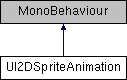
Small script that makes it easy to create looping 2D sprite animations.
More...
|
| void | Play () |
| | Continue playing the animation. If the animation has reached the end, it will restart from beginning More...
|
| |
| void | Pause () |
| | Pause the animation. More...
|
| |
| void | ResetToBeginning () |
| | Reset the animation to the beginning. More...
|
| |
|
| int | framerate = 20 |
| | How many frames there are in the animation per second. More...
|
| |
Small script that makes it easy to create looping 2D sprite animations.
| void UI2DSpriteAnimation.Pause |
( |
| ) |
|
| void UI2DSpriteAnimation.Play |
( |
| ) |
|
Continue playing the animation. If the animation has reached the end, it will restart from beginning
| void UI2DSpriteAnimation.ResetToBeginning |
( |
| ) |
|
Reset the animation to the beginning.
| int UI2DSpriteAnimation.framerate = 20 |
|
protected |
How many frames there are in the animation per second.
| UnityEngine.Sprite [] UI2DSpriteAnimation.frames |
Actual sprites used for the animation.
| bool UI2DSpriteAnimation.ignoreTimeScale = true |
Should this animation be affected by time scale?
| bool UI2DSpriteAnimation.loop = true |
Should this animation be looped?
| int UI2DSpriteAnimation.framesPerSecond |
|
getset |
| bool UI2DSpriteAnimation.isPlaying |
|
get |
Returns is the animation is still playing or not
The documentation for this class was generated from the following file:
 1.8.8
1.8.8 
