|
TNet 3
3.0.8
|
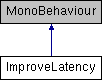
This simple example script shows how to improve latency in a scene by disabling the Nagle's buffering algorithm. If you run Example 3 on a mobile device using only TCP and without this script, other players may notice that the mobile player is "lagging". This is because by default the buffering algorithm is on, and seems to be overly aggressive on some devices. For games that require quick response times, turning on "improveLatency" flag will improve performance. http://en.wikipedia.org/wiki/Nagle's_algorithm More...
Public Types | |
| enum | Target { Target.OnlyOnMobiles, Target.Everywhere } |
Public Attributes | |
| Target | target = Target.OnlyOnMobiles |
This simple example script shows how to improve latency in a scene by disabling the Nagle's buffering algorithm. If you run Example 3 on a mobile device using only TCP and without this script, other players may notice that the mobile player is "lagging". This is because by default the buffering algorithm is on, and seems to be overly aggressive on some devices. For games that require quick response times, turning on "improveLatency" flag will improve performance. http://en.wikipedia.org/wiki/Nagle's_algorithm
Note that using UDP for frequently sent data is usually a better approach than turning on 'noDelay'. For more information, look at how TNObject's SendQuickly function is used in the DraggedObject script.
| Target ImproveLatency.target = Target.OnlyOnMobiles |
 1.8.8
1.8.8 
